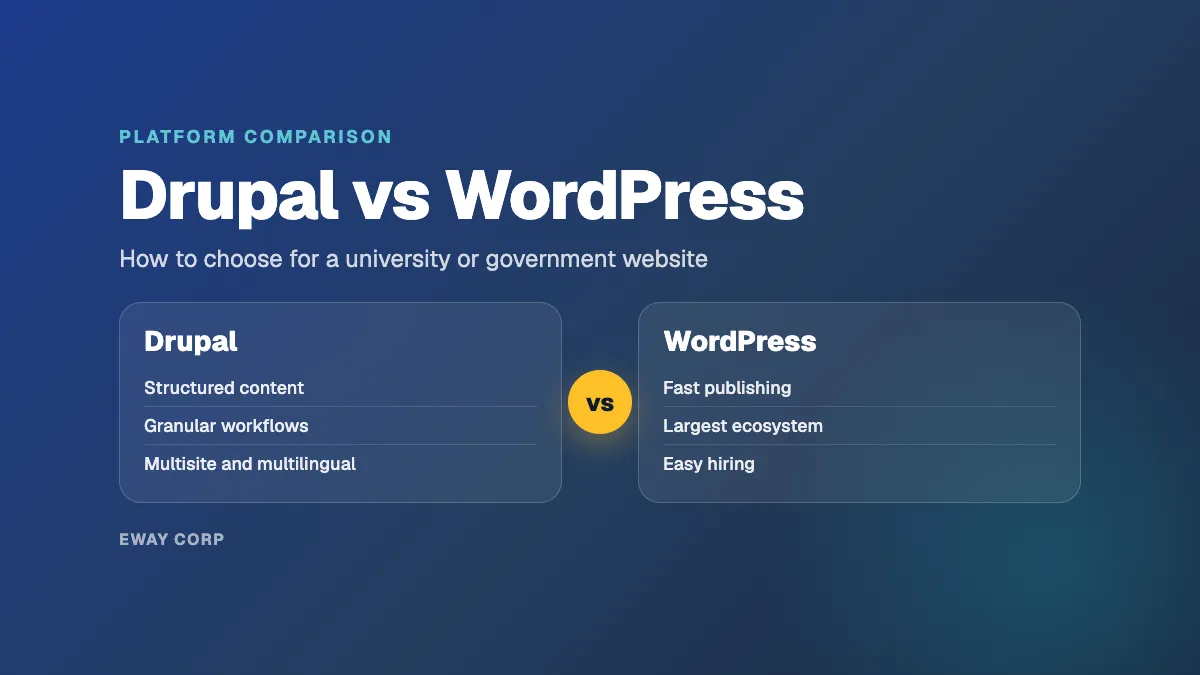
Choose WordPress when your priority is fast publishing by non-technical editors, a large pool of developers, and sites with fairly simple content. Choose Drupal when your content is highly structured, your permissions and approval workflows are complex, or you run many related sites and languages from one governed platform. Both are free, both are secure when they are operated well, and both can meet WCAG 2.1 AA.
We operate both platforms for colleges, universities, and government agencies, so we have no reason to steer you toward one. This guide compares them on the questions institutions actually ask: how content is structured, how editors work, how each handles security and accessibility, what multisite means on each, what they really cost to run, and how upgrades work over the life of a site.
The short answer
- Choose WordPress for marketing, news, and departmental sites where many editors publish often and the content is mostly pages and posts.
- Choose Drupal for program catalogs, directories, policy libraries, multilingual services, and platforms with multi-step approvals and fine-grained permissions.
- Either works for a well-scoped institutional site. The bigger risk is who operates it after launch.
Drupal vs WordPress at a Glance
| Feature | Drupal | WordPress |
|---|---|---|
| Best fit | Structured content, complex permissions, many related sites | Fast publishing, marketing and news sites, departmental sites |
| Content model | Content types, fields, and taxonomies built into core | Posts and pages, extended with custom post types and plugins |
| Editor experience | Capable, with a steeper learning curve that depends on how the site is built | The block editor is familiar and quick to learn |
| Permissions and workflow | Granular roles and content moderation in core | Basic roles in core; approval workflows usually need plugins |
| Multisite | One codebase serving several sites, or one site with governed sections | WordPress Multisite: one network, one codebase, shared users |
| Multilingual | Built into core | Through plugins |
| Extensions | Modules; covered projects receive Drupal Security Team advisories | The largest plugin and theme ecosystem of any CMS |
| Accessibility standard for core | WCAG 2.1 AA | WCAG 2.2 AA |
| Major upgrades | Planned major versions, each supported for about four years | Continuous releases; only the latest version is officially supported |
| Developer pool | Smaller and more specialized | Very large |
| Share of all websites (W3Techs, November 2026) | 0.6% | 39.2% |
Drupal Pros and Cons: Where Drupal Is Stronger
Drupal was built around structured content. Content types, fields, taxonomies, and the Views query builder are all in core, so a university can model programs, faculty, courses, locations, and events once and present them anywhere: a program page, a department listing, a search filter, a data feed to another system. Government sites use the same structure for services, forms, meetings, and policies.
Its other advantage is governance. Drupal's roles and permissions are granular, and content moderation in core supports draft, review, and publish states, so a policy page can require legal review while a news item needs only an editor. Multilingual support is in core rather than bolted on. And Drupal's JSON:API in core makes it a strong content hub for integrations and headless front ends.
Drupal pros
- Structured content and reusable data without extra plugins
- Granular permissions and multi-step editorial workflows
- Multilingual and multisite capabilities designed for large organizations
- A formal security advisory process for core and for contributed projects that opt in
- API-first core for integrations with student, CRM, and permitting systems
Drupal cons (the disadvantages of Drupal)
- A steeper learning curve for editors unless the site is built with them in mind
- Fewer developers, and specialists cost more
- Major version upgrades need planning and budget every few years
- Simple sites can feel over-engineered and cost more to build than they need to
WordPress Pros and Cons: Where WordPress Is Stronger
WordPress wins on reach. W3Techs reports that WordPress runs 39.2% of all websites and 57.9% of sites that use a content management system it can identify, against 0.6% and 0.9% for Drupal. In practice that means your editors have probably used it, your agency knows it, student workers can learn it in an afternoon, and there is a plugin or theme for almost any need.
Its block editor makes everyday publishing fast, and simple sites launch quickly. For a central marketing team, a news hub, or dozens of departmental sites that each need pages, posts, and events, WordPress is often the shorter path to a good result.
WordPress pros
- Editors learn it quickly, which keeps publishing in the hands of the people who own the content
- The largest ecosystem of plugins, themes, and developers
- Fast to build and launch, especially for simpler sites
- WordPress Multisite makes it practical to run many similar sites from one network
WordPress cons
- Complex content models and approval workflows depend on plugins and custom code
- Plugin quality varies widely, and every plugin is something to patch and replace when it is abandoned
- Permissions are coarse out of the box
- Easy to start, so sites often grow without the governance they eventually need
Drupal vs WordPress Security
Both cores are maintained by dedicated security teams and are hardened against common attacks. The WordPress Security Team works on WordPress core; vulnerabilities in plugins and themes go to their own developers and to the WordPress.org plugin and theme teams. The Drupal Security Team issues advisories for core and for contributed modules whose maintainers opt into security advisory coverage, for stable releases in supported major versions.
In practice, the risk is rarely the core. It lives in two places:
- Extensions. A WordPress site with 60 plugins of mixed quality carries more risk than one with 15 well-maintained plugins. The same is true of contributed Drupal modules without security coverage.
- Patch speed. Most compromises use vulnerabilities that already have a fix. A site that applies critical updates within days is far safer than one that waits for a quarterly maintenance window, whatever the CMS.
There is also a version risk. Only the latest WordPress release is officially supported, though the security team backports fixes to older versions as a courtesy. Drupal majors reach a published end of life, after which they receive no security releases at all: Drupal 7 security support ended on January 5, 2025, and sites still on it are unprotected.
The secure choice is the one you will operate well: a short, vetted list of extensions, updates on a schedule with critical fixes applied fast, a web application firewall, single sign-on for editors, and monitoring that alerts before users notice.
Accessibility and the ADA Title II Rule
Both projects set an accessibility bar for their own code. Drupal makes accessibility a core gate, with a goal of WCAG 2.1 and ATAG 2.0 Level AA for core. WordPress expects core, WordPress.org sites, and official plugins to conform to WCAG 2.2 Level AA.
Neither standard makes your site accessible on its own. Conformance depends on your theme, your plugins or modules, and the content editors publish every day. That matters now because the Department of Justice's ADA Title II rule requires WCAG 2.1 AA for state and local government websites, including public universities. The compliance deadline is April 26, 2027 for entities serving 50,000 people or more, and April 26, 2028 for smaller ones. We cover what that means in detail for universities and for government agencies.
The practical takeaway: pick the platform your team can keep accessible. Build accessibility into the theme and components, limit what editors can break, and check new content continuously instead of auditing once a year.
Multisite: WordPress Multisite vs Drupal Multisite
Institutions rarely run one website. They run dozens: colleges, departments, programs, boards, campaigns. Both platforms can serve them from one codebase, but in different ways.
WordPress Multisite runs a network of sites from a single installation. A network administrator controls which themes and plugins are available, users can be shared across sites, and new sites can be created from a template in minutes. It is a good fit when you have many similar sites with simple content and want central control over the toolkit.
Drupal offers two models. Classic Drupal multisite runs several sites from one codebase, each with its own database and configuration. Alternatively, one Drupal site can host many governed sections, with modules that scope editors to their own area. That second model shines when sites share structured data: one faculty directory or event calendar feeding fifty department sites, each editor seeing only their own content.
A useful rule: many similar sites with mostly independent content suit WordPress Multisite. Many sites drawing on the same structured data, with strict permissions, suit Drupal.
What Each One Really Costs
Both are free to license, so the license is the smallest line in the budget. The real costs are building the site, hosting it, and operating it for the five or more years it will be in service.
- Build. A simple WordPress site is usually cheaper to build. A complex WordPress build, with custom post types, custom fields, and custom plugins, starts to cost what a Drupal build would.
- People. Drupal developers are scarcer and typically cost more. WordPress talent is easy to find, which also makes it easy to end up with a site nobody fully documented.
- Operations. Updates, security, performance, accessibility, backups, and support cost roughly the same discipline on either platform. Over a site's lifetime, operations usually outweigh the build.
- Upgrades. Drupal's major versions are a planned project every few years. WordPress upgrades are continuous, but plugins get abandoned and need replacing.
Upgrades and Long-Term Maintenance
Drupal now releases major versions on a predictable schedule, and each is supported for four to four and a half years. Drupal 10 reaches end of life on December 9, 2026, Drupal 11 is supported until early December 2028, and Drupal 12 is due the week of December 7, 2026. If your site is on Drupal 10, the move to Drupal 11 should already be on your plan. Since Drupal 8, upgrades between majors are incremental rather than rebuilds, as long as custom code keeps up with deprecations along the way.
WordPress ships updates continuously and puts a high priority on backward compatibility, so there is no equivalent of a major-version rebuild. The maintenance risk sits in the extensions instead: plugins that stop being maintained, conflict after an update, or lag behind new PHP versions.
Either way, upgrades are an operations job, not an emergency. Track end-of-life dates, test in staging, and schedule the change for a quiet week on your calendar.
Which to Choose for a University
Most universities end up running more than one platform, and that is fine as long as each is governed. A common pattern:
- Drupal for structured, data-heavy properties: program catalogs, faculty and staff directories, research centers, and sites with formal approval workflows.
- WordPress for news, magazines, departmental and program sites, campaigns, and student-facing microsites that need to launch quickly.
- Cascade CMS for the main marketing site at many institutions, with its own publish-to-production model. We compare that option in WordPress vs Cascade for higher education.
Whatever you choose, ask the same operational questions: who publishes and with what permissions, how editors sign in through campus single sign-on, who answers the vendor assessment your security office sends, and who keeps the site fast during application deadlines. We run Drupal for higher education and WordPress for higher education under the same operating model.
Which to Choose for a Government Agency
Large agencies with many departments, multilingual services, strict content workflows, and integrations with permitting or case systems tend to fit Drupal. Smaller jurisdictions, single-purpose sites, and teams that need to launch quickly with limited staff tend to fit WordPress. Both are widely used across state and local government.
For an agency, the platform decision usually matters less than three operational ones: how the site meets the ADA Title II accessibility requirement and keeps meeting it, how it passes your security review, and how it stays available during emergencies and deadlines. Our guides to managed Drupal hosting for government and managed WordPress hosting for government cover those questions for each platform.
A Ten-Question Decision Checklist
Answer these with the people who will publish on, pay for, and operate the site.
- Is most of your content structured and reused (programs, people, locations, events, services)? Leans Drupal.
- Do you need multi-step approvals or different rules for different content? Leans Drupal.
- Will many non-technical editors publish every week with little training? Leans WordPress.
- Do you publish in several languages? Leans Drupal.
- Do you run many similar small sites? WordPress Multisite, or Drupal if they share structured data.
- Can you hire or contract Drupal developers? If not, WordPress or a managed operator.
- How soon must you launch? Tight timelines lean WordPress.
- Will the site feed other systems or a separate front end? Drupal's API-first core is a strength; WordPress has a REST API too.
- Are you already on one of them? Migration has a real cost. Fixing operations often delivers more than switching platforms.
- Who will patch, upgrade, monitor, and support the site for the next five years? This answer predicts success better than the platform does.
The Factor That Matters More Than the CMS
A well-run WordPress site beats a neglected Drupal site, and the reverse is also true. Uptime, security, speed, and accessibility after launch come from operations: updates applied on schedule, upgrades planned ahead of end-of-life dates, monitoring that catches problems first, and a team that answers when something breaks.
That is the work we do on both platforms, as one managed engagement covering hosting and the application on top of it, with a 99.9% monthly uptime SLA and a 15-minute response to severity-1 incidents around the clock. See managed Drupal hosting and managed WordPress hosting for how it works.
Not sure which platform fits? Request a platform-fit assessment. We review your content, editors, integrations, and operating constraints, and tell you which platform fits, or whether the one you have just needs to be run better.