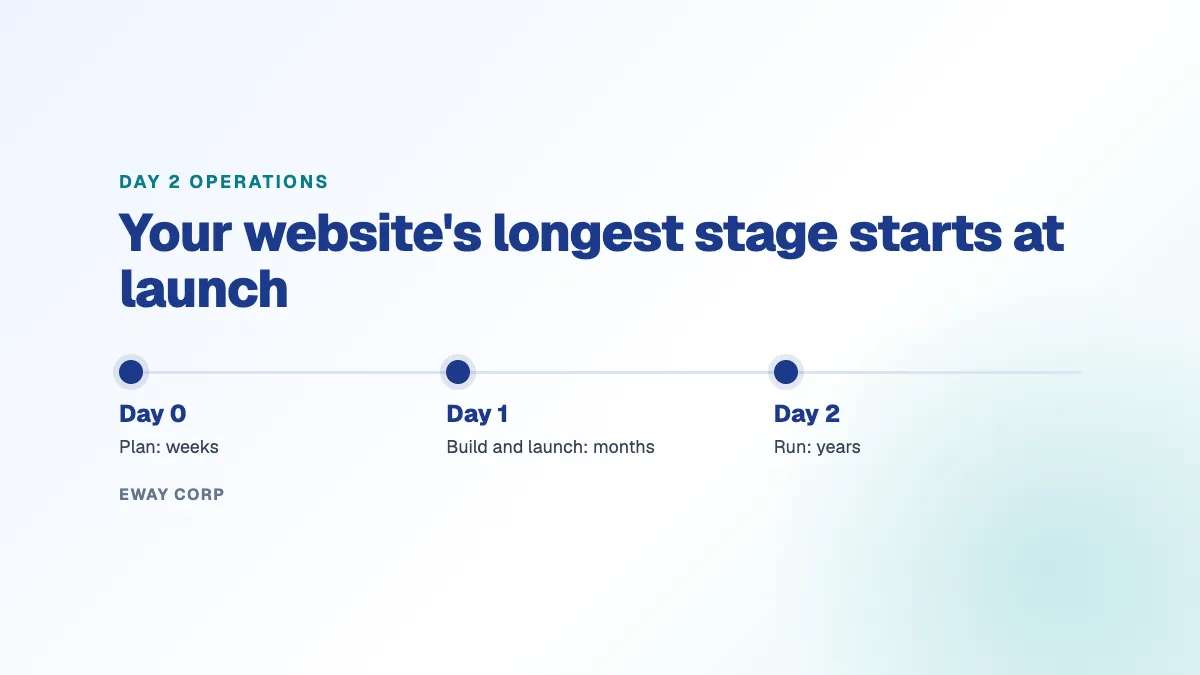
Day 0, day 1, and day 2 are the three stages of a system's life. Day 0 is planning and design. Day 1 is building and launching. Day 2 is everything after launch: running, maintaining, securing, and improving the system for as long as it is in service. For a website, day 2 operations are the updates, monitoring, incident response, performance, accessibility, and backups that keep the site working, and they usually last many times longer than the project that built it.
Most website budgets and attention go to day 0 and day 1: the redesign, the new platform, the launch date. Day 2 gets a line item, if it gets one at all. That is backwards. This guide explains what each stage means for a website, what day 2 operations include, who usually owns them, and the decisions to make before launch so day 2 does not become an emergency.
The three days at a glance
- Day 0, plan: goals, audiences, content, platform, hosting, and budget.
- Day 1, build and launch: design, development, content migration, testing, and go-live.
- Day 2, run: updates, security, monitoring, performance, accessibility, backups, and support, for the life of the site.
- The catch: day 2 is the longest stage and the least planned.
Day 0, Day 1, and Day 2 for a Website
| Stage | What happens | Usually owned by | How long it lasts |
|---|---|---|---|
| Day 0: plan | Goals, audiences, content strategy, platform and hosting choices, budget, and procurement | Marketing or communications, IT, and leadership | Weeks to months |
| Day 1: build and launch | Design, development, content migration, testing, and go-live | A web agency or internal web team | Months |
| Day 2: run | Updates, security, monitoring, incident response, performance, accessibility, backups, and support | Often unclear: IT, the agency on a retainer, the host, or a managed operator | Years, until the next redesign |
The terms come from IT and cloud operations, where teams use them to separate designing a system, standing it up, and keeping it healthy in production. They fit websites well, because a website is not finished at launch. Its content changes every day, its software needs updates every month, and the people who depend on it expect it to be available every hour.
Why Day 2 Matters Most
It is the longest stage by far. A redesign takes months; the site it produces typically runs for years. Every one of those years is day 2.
Most problems happen on day 2. Outages, security incidents, slow pages, broken forms, and accessibility complaints rarely happen at launch, when everyone is watching. They happen months later, after an update nobody tested, a plugin nobody maintained, or a traffic spike nobody planned for.
It is where the money goes. Over the life of a site, running it usually costs more than building it. When day 2 is not planned, that cost arrives as emergency fixes, overtime, and a premature redesign.
It is what visitors experience. Students applying on the last day for applications, residents checking an emergency notice, and donors giving on a campaign day all meet the site on day 2. The launch is long forgotten by then.
What Day 2 Operations Include for a Website
Day 2 operations for a website is the work also known as WebOps. It covers:
- Updates. Applying content management system, plugin, module, and theme updates on a schedule, with critical security fixes applied within days, after testing on a staging copy.
- Security. A web application firewall, access control and single sign-on for editors, malware and vulnerability monitoring, and the evidence your security office asks for.
- Monitoring and incident response. Alerts when the site is slow or down, a person who responds at any hour, and a review after every incident.
- Performance. Keeping pages fast as content and traffic grow, and planning capacity for the dates you know will be busy.
- Accessibility. Checking templates and new content continuously, so a page published today does not undo last year's remediation.
- Backups and recovery. Backups stored away from the site and restored on a schedule, so you know they work.
- Upgrades. Planning major version upgrades ahead of end-of-life dates, such as the Drupal 10 end of life covered in our Drupal upgrade guide.
- Support and reporting. A clear way to ask for help, written response times, and a regular report of what was done.
For a full explanation of the discipline, see what is WebOps.
Day 2 Problems Start on Day 0
Many day 2 problems are decided long before launch. Watch for these during planning and build:
- No owner for day 2. The contract covers design and launch, and stops there. Nobody is named to run the site afterwards.
- No staging environment. Without a copy of the site to test on, every update is tested on your visitors.
- Too many add-ons. Each plugin or module is something to update, test, and eventually replace. A site built with dozens of them is expensive to run.
- Undocumented custom code. Features built for launch, with no documentation, become a problem the day the developer who wrote them leaves.
- Hosting chosen on price alone. A cheap host keeps the server running but not the application on top of it.
- No plan for busy days. Application closing dates, elections, and emergencies are on a calendar. Capacity should be too.
Who Owns Day 2?
Most organizations end up with one of four arrangements:
- The internal web or IT team, which works when the team has the time, skills, and round-the-clock coverage, and struggles when it is one or two people.
- The agency that built the site, on a retainer, which keeps knowledge in one place but usually covers requested changes, not monitoring and incident response.
- The hosting provider, which keeps the servers running but generally leaves the application, add-ons, and content to you.
- A managed WebOps operator, which takes responsibility for the hosting and the application together, under written commitments.
There is no single right answer. What matters is that one party is clearly accountable for the whole of day 2, in writing, before launch.
Questions to Ask Before Launch
- Who is responsible for the site the day after launch, and is that in a contract?
- How are updates tested before they reach the live site?
- Who is alerted when the site goes down at night, and how fast do they respond?
- How will accessibility be checked as new content is published?
- When was a backup last restored, and who did it?
- What are our busiest dates, and how will the site handle them?
- What is the plan for the next major platform upgrade?
- What will running the site cost each year, not just building it?
How eWay Helps
We run day 2 for universities, government agencies, and nonprofits: the hosting on AWS or Azure and the Cascade, Drupal, or WordPress site on top of it, operated by one named team under a monthly uptime SLA of up to 99.99%. Learn how the engagement works on our managed WebOps page, or see how we handle WordPress maintenance.
How ready is your website for day 2? Take the twelve-question WebOps self-assessment, or talk to our WebOps team about a review of how your site is run today.
Frequently Asked Questions
What are day 0, day 1, and day 2 operations?
They are the three stages of a system's life. Day 0 is planning and design, day 1 is building and launching, and day 2 is running, maintaining, and improving the system after launch, for as long as it is in service.
What is day 2 operations?
Day 2 operations is the ongoing work of keeping a system healthy after launch: updates, security, monitoring, incident response, performance, backups, and support. For a website, day 2 operations is also called WebOps.
What is the difference between day 1 and day 2 operations?
Day 1 is getting the system built and live. Day 2 is everything that follows. Day 1 is a project with an end date; day 2 is continuous and lasts for the life of the system.
Who is responsible for day 2 operations of a website?
It depends on the arrangement: an internal web or IT team, the agency that built the site, the hosting provider, or a managed WebOps operator. The important thing is that one party is clearly accountable for all of it, in writing.
Why do day 2 operations matter for a website?
Because day 2 is the longest stage and where most problems happen. Outages, security incidents, slow pages, and accessibility issues usually appear months after launch, and running a site typically costs more over its life than building it.