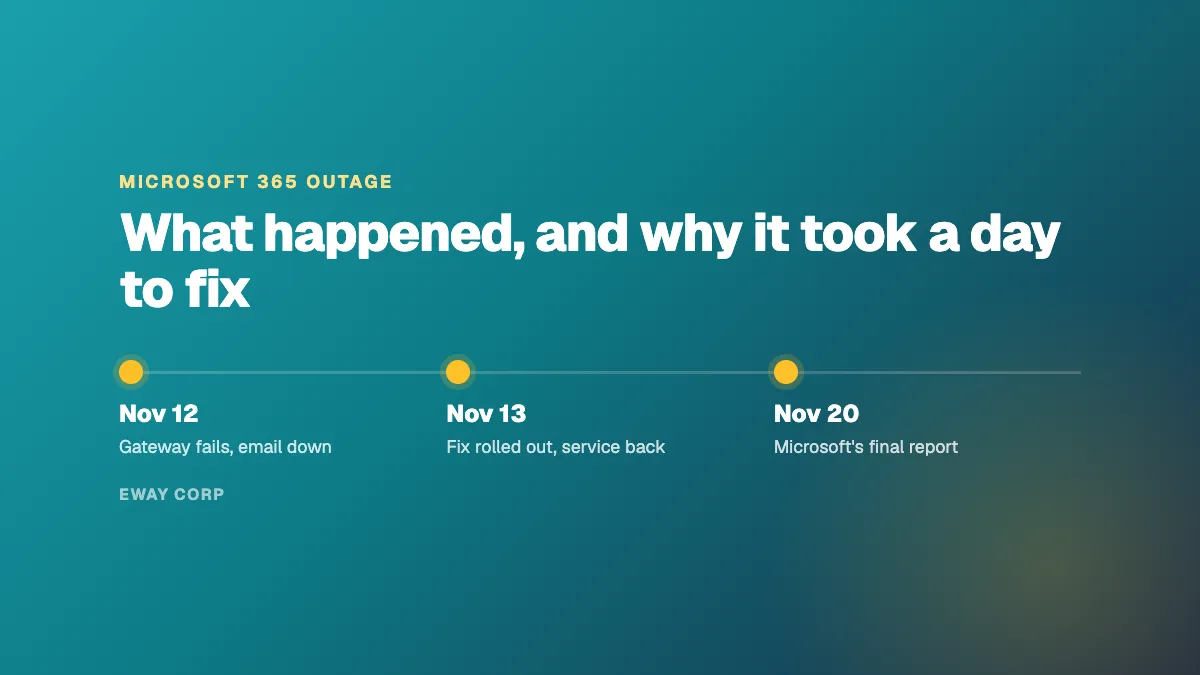
On November 12 and 13, 2026, most Microsoft 365 users could not open their email for almost a full day. According to Microsoft's preliminary incident report, a hidden defect in the servers that route traffic into Microsoft 365 was triggered when a routine failover added load at the same moment part of the server fleet was already offline. The failure spread from server to server until more than 80% of them stopped responding. It was not a cyberattack, it was not caused by a Windows update on customers' computers, and customers did not need to take any action.
This article explains what Microsoft has said about the outage, in plain English: what broke, why one fault went global, why the fix took so long, and what IT and communications leaders in government, higher education, healthcare, and nonprofits should do now. It is based on Microsoft's Preliminary Post Incident Report, dated November 15, 2026. Microsoft's final report is due on November 20, and we will update this article when it is published.
The outage at a glance
- When: Thursday, November 12, 11:20 AM ET (4:20 PM UTC) to Friday, November 13, 11:10 AM ET (4:10 PM UTC).
- What failed: Exchange Online. Most users could not reach their mailbox in Outlook or other mail clients, and email was delayed.
- What mostly worked: Teams chats and meetings, SharePoint, OneDrive, and Office apps, apart from features that depend on Exchange.
- Cause: a latent software defect in Microsoft's own network gateway servers, triggered by extra load and reduced capacity.
- Cyberattack: no. Microsoft found no indication of malicious activity.
- Action needed by customers: none.
- Microsoft incident IDs: EX1550543 and MO1550821.
What Happened
Every time someone opens Outlook, their connection first passes through a networking gateway: a large fleet of servers that sits in front of Microsoft 365 and hands each connection to the right service. On November 12, that gateway stopped working.
Microsoft's report describes the impact in two layers:
- Primary impact: email. Exchange Online was hit hardest. Most users could not open their mailbox through Outlook, Outlook on the web, mobile mail apps, or applications that connect to Exchange. Email delivery was delayed for many users, although Microsoft extended its delivery window so that queued messages were delivered rather than bounced.
- Secondary impact: features that rely on email. Copilot, Teams, SharePoint, OneDrive, Defender, Purview, Intune, Planner, Power Apps, Power BI, To Do, Fabric, and Universal Print were affected where they interact with Exchange. Most of these services stayed online.
Teams is a good example. Teams chats and meetings worked for most of the outage, because Teams was able to move its traffic away from the failing gateway. Teams features that depend on Exchange, such as calendars, were affected. Exchange itself could not move, which is why email was down the longest.
The severity varied by region, connection method, and time. Some users had partial or intermittent access while others had none.
Why It Happened: Three Factors at Once
Microsoft's report says three things lined up. None of them would have caused an outage on its own.
1. A hidden defect from July
In July 2026, Microsoft began rolling out a fix built specifically for its Microsoft 365 networking gateway servers. That fix contained a defect: under certain load, two parts of an internal Windows process competed for the same resources, and the server ran out of processor time and memory and stopped responding.
The defect stayed hidden for more than three months. The change went through Microsoft's staged rollout, reached servers worldwide over several weeks, and caused no problems. Microsoft's load testing missed it because its test labs used older hardware with fewer processor cores, and the defect is worse on newer machines with more cores.
Microsoft is explicit on one point that much early coverage got wrong: the defect and the fix apply only to Microsoft's gateway servers, not to Windows in general. The Windows computers and servers your organization runs are not affected.
2. A routine failover that added load
Microsoft runs two independent gateway systems so that services can move between them when one has trouble. About fifteen hours before the outage, Teams moved its traffic from the alternate gateway onto the primary one, which also carries Exchange Online. That added load and changed the mix of traffic on the primary gateway. Microsoft describes this kind of failover as part of normal operations.
3. Capacity that was already offline
At the same time, nearly 14% of the gateway's servers were out of service because of an unrelated issue from the day before. They were on track to return through routine maintenance, and the service had enough spare capacity that this had no effect by itself.
How the three combined
More traffic on fewer servers, during the busiest hours of the US working day, was enough to trigger the July defect. Requests built up until servers stopped responding.
Why One Fault Went Global
Large services are designed so that when a server fails, traffic moves automatically to healthy ones. That normally prevents users from noticing anything. This time it made things worse.
Think of a toll plaza where a lane closes and its cars move to the next lanes. Normally that works. But if every lane has the same hidden weakness under heavy traffic, each lane that receives the extra cars fails in turn, and the queue moves down the plaza. That is what happened: the traffic that moved to healthy servers pushed them into the same defect. In less than two hours the failure had spread across the fleet, and at its lowest point more than 80% of the gateway servers were unresponsive.
Microsoft divides the gateway into thousands of smaller units, grouped by region, with barriers between them that are meant to stop exactly this kind of spread. The report says that, because of a separate issue it has not yet described, those barriers did not hold. That is why a fault that started under US load became a global outage.
Why It Took Almost a Day to Fix
Microsoft's timeline shows engineers trying several fixes on the evening of November 12 that did not hold. The report gives three reasons recovery took so long:
- Recovered servers were flooded again. Every server brought back into service was immediately hit by the backlog of waiting connections and became unresponsive again.
- Automated recovery was not built for this. Microsoft's recovery tools are designed to replace a few failed servers, not to restart a fleet where most servers are down at once.
- The change could not simply be switched off. Because the defect had been in place since July, the usual tools for reversing a recent change (rollbacks, feature flags, and staged releases) could not undo it quickly.
Once engineers confirmed the cause, they built an update that returned the affected code to its earlier, known-good state. They applied it by taking large groups of servers out of service, updating and restarting them, and then returning them, often half of a region or more at a time. The first update went out at 7:20 AM UTC on November 13, and regions recovered through the morning: Asia Pacific first, then Europe, then global webmail.
Timeline
All times are from Microsoft's preliminary report. Eastern Time is shown alongside UTC.
| UTC | Eastern Time | What happened |
|---|---|---|
| Nov 12, 1:07 AM | Nov 11, 8:07 PM | Teams traffic fails over to the gateway shared with Exchange Online. Load rises gradually through the day. |
| Nov 12, 4:03 PM | 11:03 AM | Monitoring detects a rise in user connection problems. |
| Nov 12, 4:20 PM | 11:20 AM | Incident starts. Exchange Online alert; first notice posted as EX1550543. |
| Nov 12, 6:27 PM | 1:27 PM | Notice MO1550821 posted for Teams, Copilot, Defender, and other services. |
| Nov 12, 7:00 PM | 2:00 PM | All planned deployments and configuration changes paused. |
| Nov 12, 7:20 PM | 2:20 PM | Engineers find the load is not from more traffic but from servers failing and shifting work to the rest. |
| Nov 12, 11:55 PM | 6:55 PM | Servers returned to service fail again as soon as they receive traffic. |
| Nov 13, 12:30 AM | Nov 12, 7:30 PM | The connection-handling step on the servers is identified as the bottleneck. |
| Nov 13, 7:20 AM | 2:20 AM | First update reverting the defective change applied to part of the fleet. |
| Nov 13, 11:35 AM | 6:35 AM | Europe back to healthy levels, after partial recovery in Asia Pacific. |
| Nov 13, 2:17 PM | 9:17 AM | Global webmail availability back to expected levels. |
| Nov 13, 4:10 PM | 11:10 AM | Incident ends. Backlog of delayed email continues to clear. |
| Nov 14, 4:15 AM | Nov 13, 11:15 PM | Microsoft posts final customer updates. |
What It Was Not
Much of the coverage during the outage was written before Microsoft knew the cause. Several claims are still circulating:
| Claim | What Microsoft's report says |
|---|---|
| "A Windows update caused it, so roll back your updates." | The defect was in a fix built only for Microsoft's own gateway servers. It does not affect customers' Windows computers or servers. There is no reason to roll back updates. |
| "It was a cyberattack." | Microsoft found no indication of malicious activity. |
| "A network configuration change caused it." | That was an early theory in the status updates during the incident. The report replaces it with the three-factor explanation above. |
| "A surge in users overloaded Microsoft." | Microsoft found the load was high because servers were failing and pushing work onto the rest, not because traffic rose. |
| "Teams was down." | Teams chats and meetings worked for most of the outage. Teams features that depend on Exchange were affected. |
What Public Sector IT and Communications Leaders Should Do Now
For a city, a university, a hospital, or a nonprofit, a day without email is not just an inconvenience. Meeting notices, admissions messages, patient communications, donor receipts, and internal approvals all stop or slow down. Here is what to do this week:
- Get Microsoft's report for your records. Your Microsoft 365 administrators can find it in the Microsoft 365 admin center, under Service health, by searching for EX1550543 or MO1550821. Use it to brief your leadership, board, or council, rather than relying on news coverage.
- Do not roll back Windows updates. The defect was in Microsoft's own servers. Your devices were not the cause and are not at risk from it.
- Write down what stopped. List the work that stalled during the outage: forms that send email, alerts, approval workflows, scanned documents sent to mailboxes, and any system that signs in or sends notices through Microsoft 365. Many organizations only discover these dependencies during an outage.
- Plan how you will communicate when email and Teams are down. Decide in advance who posts updates, where, and in what order: your public website, social media, text alerts, phone trees. Agree on the wording of a holding message now, not during the next outage.
- Keep at least one channel independent of Microsoft 365. Your public website and a status page should not depend on the system that has failed. When email is down, the website is often the fastest way to reach students, residents, patients, and staff, but only if it is hosted, managed, and updated through a path that still works.
- Rehearse it. Run a short exercise: email is down for a day, starting at 11 AM. Who notices first, who decides, and what does the public see within the first hour?
- Read the final report on November 20. It will include Microsoft's full list of repair items, which is useful for your own risk register and vendor reviews.
What the Outage Teaches Anyone Who Runs Critical Services
We run websites and cloud infrastructure for public sector organizations, at a much smaller scale than Microsoft. The lessons in Microsoft's report still apply to every operator, and they are worth stating plainly:
- A defect can pass every test and still be waiting. The July change ran safely for months. Testing on hardware and traffic that match production, not a lighter version of it, is what catches problems like this.
- Failover is a load event. Moving traffic from a failing system to a healthy one only works if the healthy one has room. Capacity plans should assume that failover traffic arrives on the busiest day, not a quiet one.
- Recovery needs its own plan. Restarting a few servers is routine. Bringing a whole service back while a backlog of users is waiting is a different problem, and it needs a written, rehearsed procedure.
- Containment matters as much as prevention. No team can promise zero defects. What limits the damage is how well a failure is kept to one part of the system.
These are the same disciplines behind the day 2 operations that keep a website running long after launch, and they are what we mean by WebOps.
How eWay Helps
We operate websites and the AWS and Azure infrastructure under them for universities, government agencies, healthcare organizations, and nonprofits: monitoring, incident response, capacity planning for the dates you know will be busy, and a public website that stays available and up to date when other systems are having a bad day. Learn how the engagement works on our managed WebOps and managed Azure pages.
Did the outage expose gaps in how your organization communicates when systems fail? Take the twelve-question WebOps self-assessment, or talk to our team about how your public website would hold up during the next one.
Frequently Asked Questions
What caused the Microsoft 365 outage in November 2026?
According to Microsoft's preliminary report, three factors combined: a hidden defect in a July 2026 fix for Microsoft's own network gateway servers, extra load from a routine Teams failover, and about 14% of gateway capacity already offline from an unrelated issue. Together they caused gateway servers to stop responding, and the failure spread across the fleet.
Was the Microsoft outage a cyberattack?
No. Microsoft said there was no indication of malicious or cyber activity. The outage was caused by a software defect in Microsoft's own infrastructure.
How long did the Microsoft 365 outage last?
Microsoft's report puts the incident at almost a full day, from 4:20 PM UTC on Thursday, November 12, 2026 (11:20 AM Eastern) to 4:10 PM UTC on Friday, November 13 (11:10 AM Eastern). Delayed email continued to clear after that, and Microsoft posted its final updates early on November 14.
Which Microsoft services were affected?
Exchange Online was affected most: most users could not reach their mailbox and email was delayed. Microsoft also lists Copilot, Teams, SharePoint, OneDrive, Defender, Purview, Fabric, Intune, Planner, Power Apps, To Do, Power BI, and Universal Print, mainly for features that depend on Exchange. Most of those services stayed online.
Was Microsoft Teams down?
Mostly not. Teams chats and meetings worked for most of the outage, because Teams moved its traffic away from the failing gateway. Teams features that rely on Exchange, such as calendars, were affected.
Do we need to roll back Windows updates because of the outage?
No. The defect was in a fix built only for Microsoft's own gateway servers. Microsoft states it does not apply to broader Windows deployments, so customers' computers and servers are not affected.
Was Microsoft Azure affected?
Microsoft's report on this incident does not list Azure among the affected services. The outage was in the networking gateway that sits in front of Microsoft 365 services such as Exchange Online.
Where can I find Microsoft's official report on the outage?
Microsoft publishes post incident reports in the Microsoft 365 admin center, under Service health. Search for incident EX1550543 or MO1550821. The preliminary report is dated November 15, 2026, and Microsoft's final report is due on November 20, 2026.
How can an organization keep communicating when Microsoft 365 is down?
Plan it in advance. Decide who posts updates and where, prepare a holding message, and keep at least one channel independent of Microsoft 365, such as the public website, a status page, social media, or text alerts. Rehearse the plan so the first hour of the next outage is not spent deciding who does what.