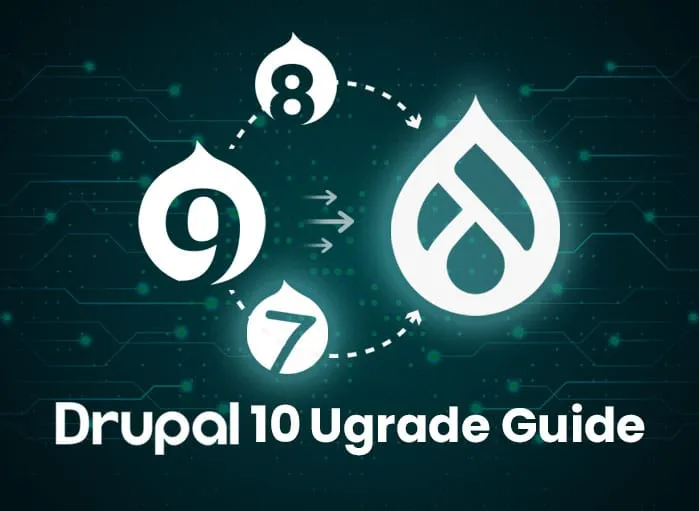
The Drupal 10 upgrade path is different depending on the source version. From Drupal 9 it is a routine version bump. From Drupal 8 it is two coordinated upgrades. From Drupal 7 it is closer to a rebuild. This post is the institutional upgrade matrix: the operational discipline each path requires for public-sector Drupal workloads.
We covered the prerelease context in Brace Yourself for the Drupal 10 Release and the tactical upgrade checklist in Drupal 10 Upgrade Checklist. This post is about choosing the right path based on where the institution is starting from.
Path 1: Drupal 9 to Drupal 10 (Routine)
For institutions on current Drupal 9 (9.4 or 9.5) with maintained contrib modules and PHP 8.1-ready hosting, the upgrade to Drupal 10 is a routine major version bump. The shared codebase between Drupal 9 and Drupal 10 means most contrib modules and custom code work without modification.
The discipline:
- Confirm the site is on Drupal 9.4.8 or 9.5 (the latest minor releases of Drupal 9).
- Update all contrib modules to their latest Drupal 9-compatible versions. Many of these versions are already Drupal 10-compatible.
- Run Upgrade Status to inventory contrib modules and identify any that lack a Drupal 10 release.
- Run Drupal Rector to remediate deprecated API calls in custom code.
- Confirm PHP 8.1 is available on the hosting platform.
- Run Composer to update core to Drupal 10.
- Run database updates and clear caches.
- Validate against staging before applying to production.
For institutional Drupal workloads with proper change-control processes, this path takes hours of effort, not weeks. The Drupal core team's commitment to smooth Drupal 9 to Drupal 10 transitions held in practice for institutions that stayed current.
Path 2: Drupal 8 to Drupal 10 (Two Hops)
Drupal 8 reached end-of-life in November 2021. Institutions still on Drupal 8 in 2022 needed to upgrade to Drupal 9 first, then to Drupal 10. The Drupal 8-to-9 path was itself smooth (we covered it in Drupal 8 to 9 Migration) because Drupal 9 was largely Drupal 8 with deprecated code removed.
The discipline:
- Drupal 8 to Drupal 9 first. Run Upgrade Status on the Drupal 8 site, remediate deprecated code, update contrib modules to Drupal 9-compatible versions, then run Composer to upgrade to Drupal 9.
- Then Drupal 9 to Drupal 10. Follow the Path 1 discipline above.
For institutions that had been on Drupal 8 since 2018 or 2019, the Drupal 8 to Drupal 9 hop was the larger of the two upgrades. The Drupal 9 to 10 hop was the easier one. Either way, both upgrades needed to be planned, validated, and executed in sequence. Skipping Drupal 9 was not a supported path.
Path 3: Drupal 7 to Drupal 10 (Rebuild)
Drupal 7 reached end-of-life on January 5, 2025 after multiple extensions. For institutions still on Drupal 7, the move to Drupal 10 was effectively a rebuild rather than an upgrade. The Drupal 8 architecture (object-oriented PHP, Symfony framework, Twig templating, configuration management) was a different platform from Drupal 7's procedural PHP and PHPTemplate-based architecture.
We covered this path in Drupal 7 End of Life Extended: Things to Know and Drupal 7 to Drupal 9 Migration. The institutional reality:
The discipline:
- Treat the move as a rebuild, not an upgrade. Plan for theme rewrite (PHPTemplate to Twig), custom module rewrite (procedural to object-oriented), and content migration via the core Migrate API.
- Inventory contrib modules. Most Drupal 7 contrib modules do not have a direct Drupal 10 equivalent. Identify replacements or alternatives. For some modules, the functionality moved to Drupal core. For others, the functionality was deprecated entirely.
- Plan content migration. The core Migrate suite handles content migration from Drupal 7 to Drupal 10 directly. The migration is one-time and needs validation against the original Drupal 7 content.
- Plan URL preservation. Institutional Drupal 7 sites have years of inbound links and search engine equity. URL preservation through aliases or 301 redirects is part of the migration.
- Plan the cutover. Drupal 7 to Drupal 10 is a side-by-side build with a content cutover, not an in-place upgrade.
For institutional Drupal 7 workloads, this is a months-long engagement, not a weekend upgrade. The decision filter: does the institution rebuild on Drupal 10, migrate to a different CMS entirely, or rebuild on a newer Drupal version (11, current at time of writing).
What Operational Discipline the Drupal 10 Upgrade Requires
Across all three paths, the operational discipline that separates clean institutional upgrades from painful ones is the same.
Staging validation. Every Drupal upgrade gets exercised on staging that mirrors production before it reaches production. The staging environment includes the same plugin set, theme, content sample, and PHP version.
Backup discipline. Full database and filesystem backup before the upgrade, retained until the production upgrade has been validated. For institutional workloads, the backup is verified to be restorable, not just verified to exist.
Change-control documentation. For government Drupal on AWS GovCloud or Azure Government, the upgrade is a documented event in the authorization boundary. The change request, approval, validation evidence, and post-upgrade verification are all part of the system security plan.
Rollback plan. Every institutional upgrade has a documented rollback path that has been exercised at least once on staging. If the production upgrade fails, the rollback is procedural, not improvised.
Identity and access discipline. SSH and admin access during the upgrade flow through institutional identity. Shared credentials and break-glass accounts are documented and audited.
We covered the broader operational pattern in Secure Drupal Website: Best Practices and the AWS-side discipline in AWS Shared Responsibility for Government.
When the Drupal 10 Upgrade Reveals Underlying Issues
For some institutional Drupal workloads, the upgrade exercise surfaces issues that predate Drupal 10. Custom modules written years ago without test coverage, themes built against deprecated APIs, contrib modules that have been abandoned, hosting platforms that have not been updated. The upgrade is the forcing function.
The healthy response is to use the upgrade as the moment to remediate. The unhealthy response is to ship the upgrade without addressing the underlying issues, leaving the same problems for the next major version transition. Institutional Drupal that has been carefully maintained through major version transitions is structurally healthier than Drupal that has been deferred.
For managed Drupal hosting engagements supporting government and higher-education workloads, the major version upgrade is a planned, documented operational event. The discipline applies across versions, not just Drupal 10.
Frequently Asked Questions
How long does a Drupal 9 to Drupal 10 upgrade typically take for institutional sites?
For sites on current Drupal 9 with maintained contrib and PHP 8.1-ready hosting, a few hours to a day of effort, plus staging validation time. For sites with stale contrib or PHP 7.4 hosting, additional remediation work brings it to days or weeks.
How long does a Drupal 7 to Drupal 10 rebuild take?
Months. The work is theme rewrite, module replacement, content migration, URL preservation, and cutover planning. For institutional sites with substantial customization, six to twelve months is realistic.
Can institutions skip Drupal 10 and go directly to Drupal 11?
For Drupal 9 sites, the supported path is Drupal 9 to Drupal 10 to Drupal 11, executed as two separate upgrades. For Drupal 7 sites being rebuilt, building on the current Drupal version (11 at time of writing) is an option since the work is a rebuild regardless of target version.
What tools do institutions actually use for the upgrade?
Drupal Upgrade Status (contrib inventory and readiness check), Drupal Rector (automated remediation of deprecated API calls), PHPStan (static analysis for PHP 8.1 compatibility), Drupal Check (deprecation scanning), and Composer (package management). For Drupal 7 to Drupal 10, the core Migrate suite handles content migration.
Is the Drupal 10 upgrade still worth doing if the institution is planning to migrate off Drupal entirely?
If the migration off Drupal is more than 12 months away, yes. Running an unsupported Drupal version (Drupal 9 past November 2023, Drupal 8 past November 2021, Drupal 7 past January 2025) creates security exposure that an institution cannot defend in audit. The Drupal 10 upgrade buys runway for the off-Drupal migration to be done deliberately.